Cal Newport นิยาม deep work ว่าคือ 'กิจกรรมเชิงวิชาชีพที่ทำในสภาวะที่จดจ่ออย่างปราศจากสิ่งรบกวน ซึ่งผลักดันความสามารถทางปัญญาของคุณไปถึงขีดจำกัด' มันคืองานที่ผลักดันอาชีพให้ก้าวหน้า แต่คนทำงานความรู้ส่วนใหญ่กลับได้ deep work ที่แท้จริงน้อยกว่าหนึ่งชั่วโมงต่อวัน
อุปสรรคไม่ใช่ความมุ่งมั่น แต่คือการวางตารางเวลาต่างหาก
ทำไม Deep Work ถึงปกป้องได้ยากนัก
Deep work ต้องแย่งพื้นที่ในปฏิทินกับ shallow work การประชุม อีเมล และข้อความใน Slack จัดตารางได้ง่ายกว่าและให้ความรู้สึกมีประสิทธิภาพทันที พวกมันยังมีแนวโน้มที่จะเพิ่มจำนวนขึ้นเรื่อย ๆ ด้วย หากไม่มีการปกป้องอย่างจงใจ deep work ก็จะถูกเบียดออกไป
ทางออกด้วยไทม์บ็อกซิง
การทำไทม์บ็อกซิงให้กับ deep work หมายถึงการปฏิบัติต่อมันเหมือนนัดหมายอื่น ๆ นั่นคือมันต้องอยู่ในปฏิทิน มีเวลาเริ่มต้นที่ชัดเจน และไม่สามารถเลื่อนได้ตามอำเภอใจ
ความแตกต่างสำคัญจากการจัดตารางเวลาทั่วไปคือความมุ่งมั่นที่ชัดเจนต่อสภาวะปราศจากสิ่งรบกวน กล่องเวลาสำหรับ deep work ไม่ใช่แค่เวลาที่ถูกจองไว้—แต่คือเวลาที่ได้รับการปกป้อง
วิธีวางตารางกล่องเวลาสำหรับ Deep Work
1. ระบุช่วงเวลาที่มีประสิทธิภาพสูงสุดของคุณ คนส่วนใหญ่มีช่วงเวลาสองถึงสี่ชั่วโมงที่ความคิดเชิงวิเคราะห์ของพวกเขาเฉียบคมที่สุด สำหรับหลายคน คือช่วงสายของวัน ปกป้องช่วงเวลานี้อย่างเด็ดขาด
2. วางแผนล่วงหน้า วางแผนกล่องเวลาสำหรับ deep work ตั้งแต่ต้นสัปดาห์ ไม่ใช่ต้นวัน การวางแผนแบบวันต่อวันมักนำไปสู่การถูกแทนที่ด้วยงานที่เร่งด่วนแต่ตื้นเขิน
3. จำกัดไว้ไม่เกินสี่ชั่วโมง คุณภาพของ deep work จะลดลงหลังผ่านสี่ชั่วโมงไปแล้ว การวางแผนหกชั่วโมงอาจดูเหมือนมีประสิทธิภาพ แต่บ่อยครั้งกลับให้ผลลัพธ์เท่ากับสี่ชั่วโมงที่มีคุณภาพสูงกว่า
4. จัดกลุ่มงานที่คล้ายกันไว้ด้วยกัน ถ้างานเขียนต้องใช้ deep work ให้จัดตารางงานเขียนทั้งหมดไว้ด้วยกัน การสลับบริบทระหว่างงาน deep work ประเภทต่าง ๆ จะลดประโยชน์ที่ได้รับ
การสร้างสภาวะแวดล้อมที่เหมาะสม
- ปิดแอปพลิเคชันอีเมลและข้อความทั้งหมด—ไม่ใช่แค่ปิดการแจ้งเตือน
- ใช้โปรไฟล์เบราว์เซอร์เฉพาะที่บล็อกเว็บไซต์ที่ทำให้เสียสมาธิ
- แจ้งชั่วโมง deep work ของคุณให้ทีมทราบตั้งแต่ต้นสัปดาห์
- มีสัญญาณทางกายภาพ (ปิดประตู สวมหูฟัง) ที่บ่งบอกว่าคุณไม่สะดวกให้รบกวน
การจัดการกับสิ่งรบกวน
แม้จะเตรียมพร้อมแล้ว สิ่งรบกวนก็ยังเกิดขึ้นได้ พกสมุดจดเล็ก ๆ ไว้บันทึกเรื่องเร่งด่วนที่เกิดขึ้นระหว่าง deep work การจดบันทึกไว้จะช่วยขจัดภาระทางจิตใจ และทำให้คุณกลับมาจดจ่อได้ทันที
อย่าทำลายกล่องเวลา deep work เพื่อจัดการอีเมล เว้นแต่จะเป็นเหตุฉุกเฉินจริง ๆ ซึ่งแทบไม่เคยเป็นเช่นนั้น
วัดผลลัพธ์ ไม่ใช่เวลา
เป้าหมายของกล่องเวลา deep work ไม่ใช่การนั่งอยู่ที่โต๊ะสองชั่วโมง—แต่คือการสร้างผลลัพธ์ที่เฉพาะเจาะจง กำหนดสิ่งที่ต้องส่งมอบก่อนที่กล่องเวลาจะเริ่มขึ้น: 'ทำร่างแรกของหัวข้อที่สามให้เสร็จ' ดีกว่า 'ทำงานกับรายงาน'
Chrobox สำหรับ Deep Work
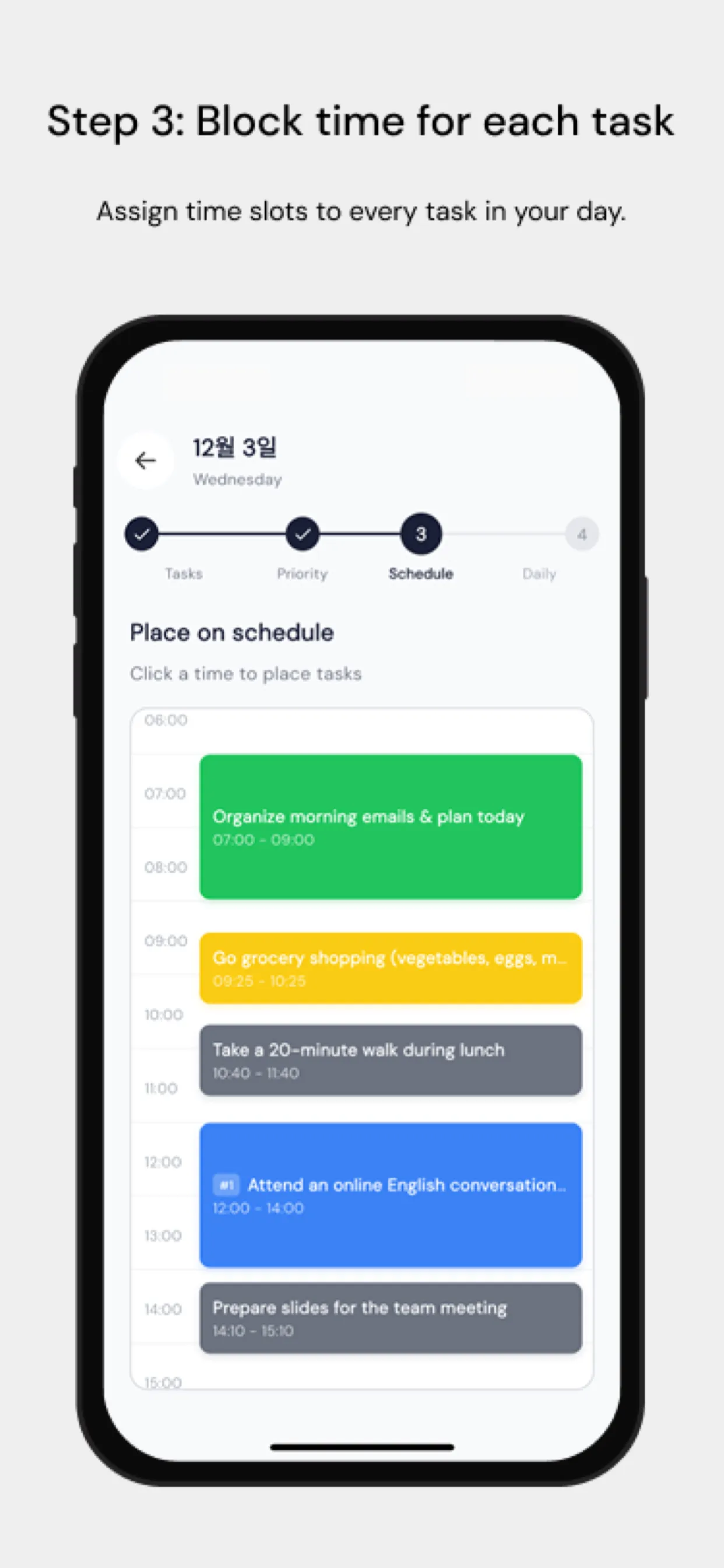
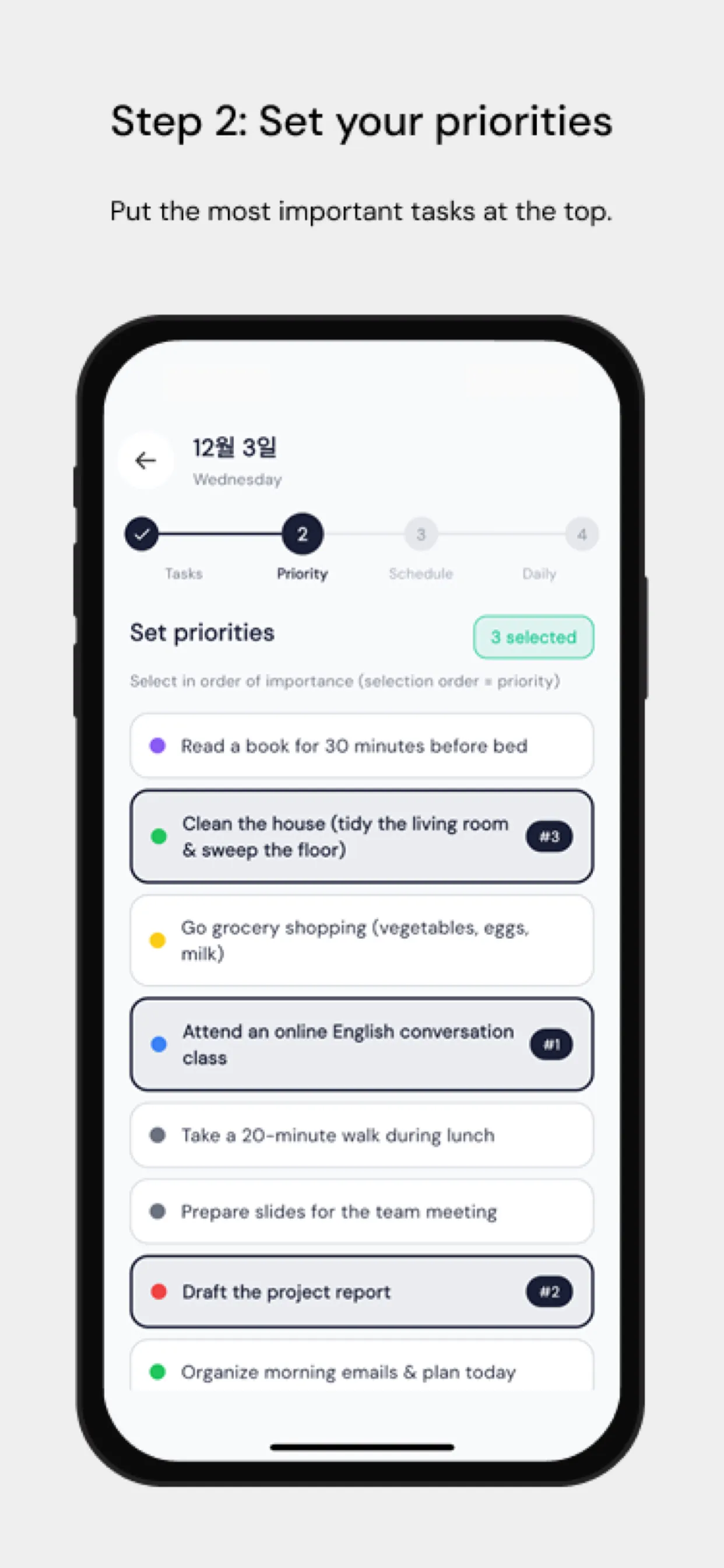
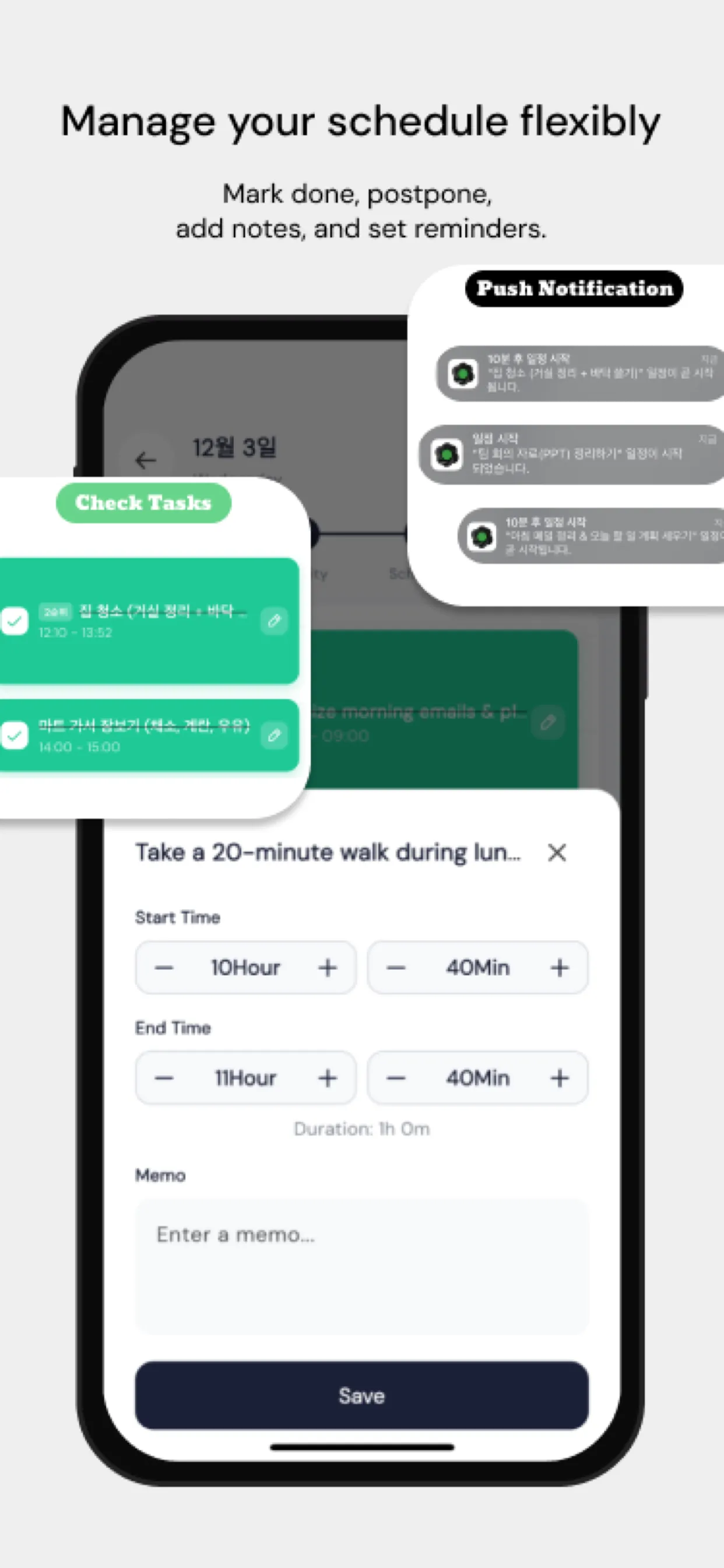
Chrobox ทำให้กล่องเวลาสำหรับ deep work มองเห็นได้ชัดเจนควบคู่ไปกับภาระผูกพันอื่น ๆ ทุกอย่างในแต่ละวันของคุณ บันทึกเวลาแบบเห็นภาพช่วยให้คุณยืนยันได้ว่า deep work ที่วางแผนไว้เกิดขึ้นจริงหรือไม่—ไม่ใช่แค่ว่าคุณนั่งอยู่ที่โต๊ะทำงาน เมื่อเวลาผ่านไป ข้อมูลนี้จะช่วยให้คุณค้นพบรูปแบบการจัดตารางเวลาที่สร้างผลงานที่ดีที่สุดของคุณ
ปกป้องชั่วโมงเชิงลึกของคุณไว้ ทุกอย่างที่เหลือรอได้