Два мощных метода, одно принципиальное отличие
Тайм-блокинг и тайм-боксинг часто используют как взаимозаменяемые понятия, но работают они на принципиально разных основаниях. Понимание различий помогает выбрать подходящий инструмент для каждой ситуации — и при необходимости эффективно их сочетать.
Коротко: тайм-блокинг резервирует, когда вы работаете над чем-то, а тайм-боксинг ограничивает, сколько времени получает одна задача, и вы останавливаетесь, когда бокс заканчивается. Используйте тайм-блокинг, чтобы выстроить день, а тайм-боксинг — для задач внутри него.
| Тайм-блокинг | Тайм-боксинг | |
|---|---|---|
| Что фиксируется | Слот в календаре | Лимит времени на одну задачу |
| Когда время вышло | Блок продлевают или переносят | Останавливаются и подводят итог, закончена задача или нет |
| Единица планирования | Вид работы («письмо», «встречи») | Конкретная задача («черновик вступления») |
| Главная сильная сторона | Защищает время от других требований | Создаёт срочность и сдерживает перфекционизм |
| Главный риск | Работа растягивается на весь блок | Слишком жёсткие оценки времени |
| Лучше всего подходит для | Выстраивания целого дня или недели | Задач, которые склонны затягиваться |
Что такое тайм-блокинг?
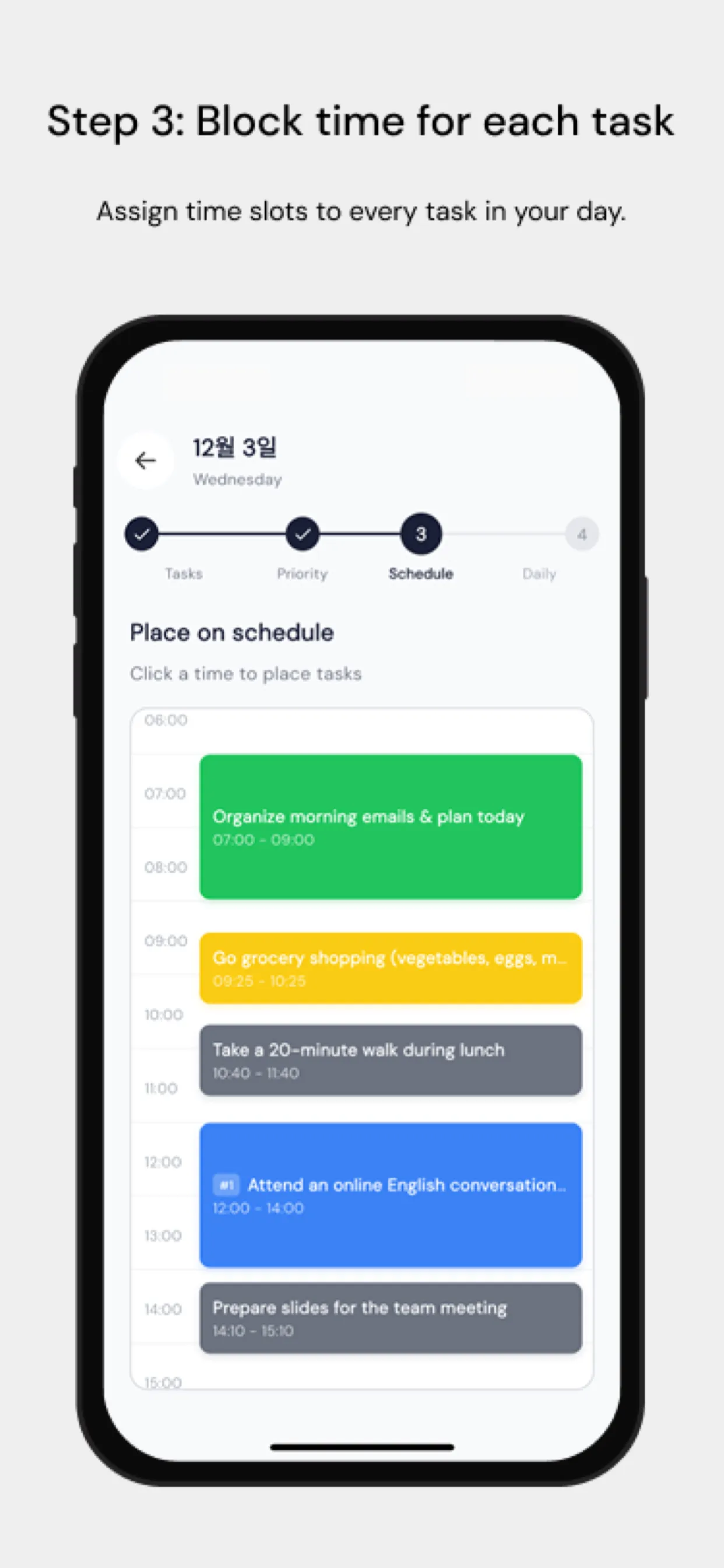
Тайм-блокинг — это назначение конкретных задач или категорий работы на определенные слоты времени в календаре. Это инструмент планирования.
Пример: блок с 9 до 11 утра на «письмо» и с 14 до 16 часов на «встречи».
Ключевая особенность: внутри блока нет жесткого дедлайна. Если письмо занимает больше времени, блок можно продлить. Блок — это контейнер, а не ограничение.
Что такое тайм-боксинг?
Тайм-боксинг устанавливает фиксированный, не подлежащий обсуждению лимит времени на выполнение конкретной задачи. Когда бокс заканчивается, вы останавливаетесь — независимо от того, завершена ли задача.
Пример: «Я напишу вступительный раздел ровно за 45 минут».
Ключевая особенность: дедлайн абсолютен. Это ограничение намеренное — оно создает срочность и заставляет расставлять приоритеты.
Психология каждого метода
Психология тайм-блокинга
Тайм-блокинг снижает усталость от принятия решений, заранее определяя, что и когда делать. Он предотвращает переключение контекста и создает специальные окна для фокуса. Однако без жестких дедлайнов вступает в силу закон Паркинсона: работа заполняет все отпущенное на нее время.
Психология тайм-боксинга
Тайм-боксинг использует давление дедлайна. Фиксированный конец создает искусственную срочность, обостряющую фокус. Он также вынуждает честно оценивать время: вы должны определиться, сколько займет задача, еще до начала работы.
Когда что использовать
| Ситуация | Лучший выбор |
|---|---|
| Планирование сессий глубокой работы | Тайм-блокинг |
| Письмо, программирование, творческая работа | Тайм-боксинг |
| Встречи и звонки | Тайм-блокинг |
| Административные задачи | Тайм-боксинг |
| Открытое исследование | Тайм-блокинг |
| Результат с дедлайном | Тайм-боксинг |
Как совместить оба метода
Самый эффективный подход использует оба:
- Тайм-блокинг недели на макроуровне — выделите блоки для разных видов работы
- Тайм-боксинг конкретных задач внутри этих блоков
Например, отведите понедельник утром под тайм-блок «разработка продукта». Внутри этого блока расставьте тайм-боксы: «набросать макет новой функции: 60 мин», затем «написать спецификацию: 45 мин».
Chrobox для обоих подходов
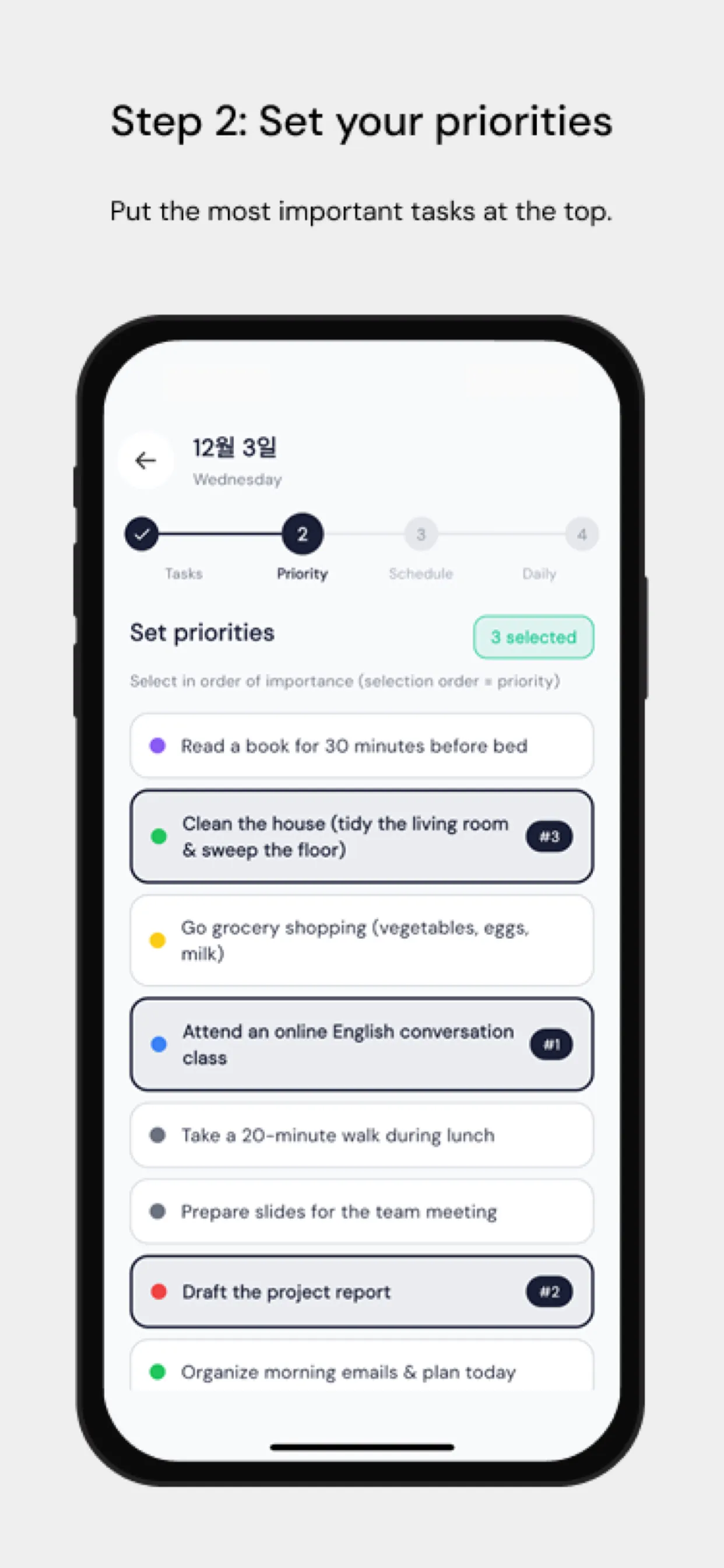
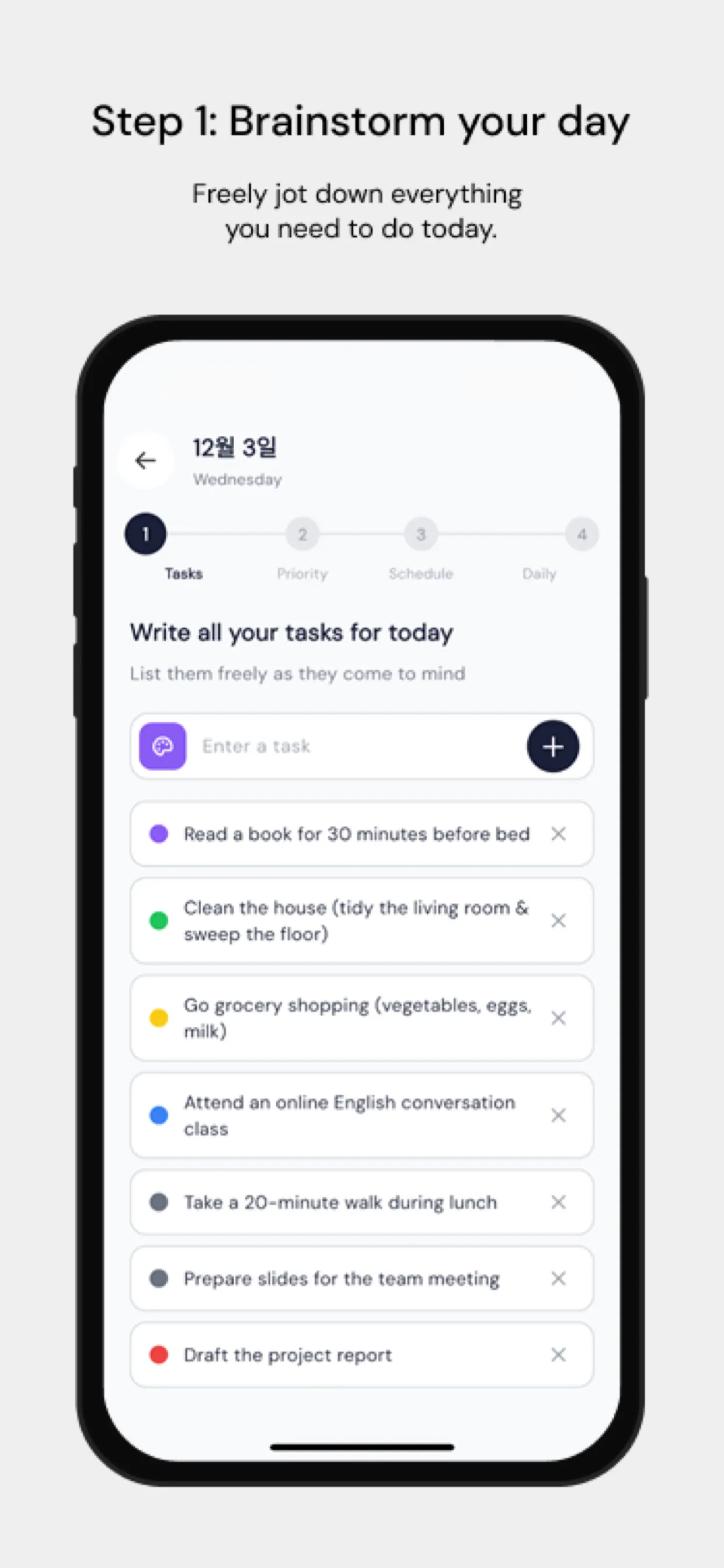
В Chrobox каждая задача, которую вы размещаете на шкале времени, получает время начала и продолжительность, поэтому каждая работает как тайм-бокс. Для слоя тайм-блокинга превратите неизменные части недели в рутины — ежедневный слот глубокой работы, пятничный разбор итогов — и задайте связанным задачам один цвет, чтобы день читался как блоки работы одного вида с конкретными боксами внутри.
Итог
Тайм-блокинг структурирует ваш день. Тайм-боксинг дисциплинирует исполнение. Вместе они образуют систему продуктивности, которая одновременно гибка и строга — именно то, что нужно результативным людям.